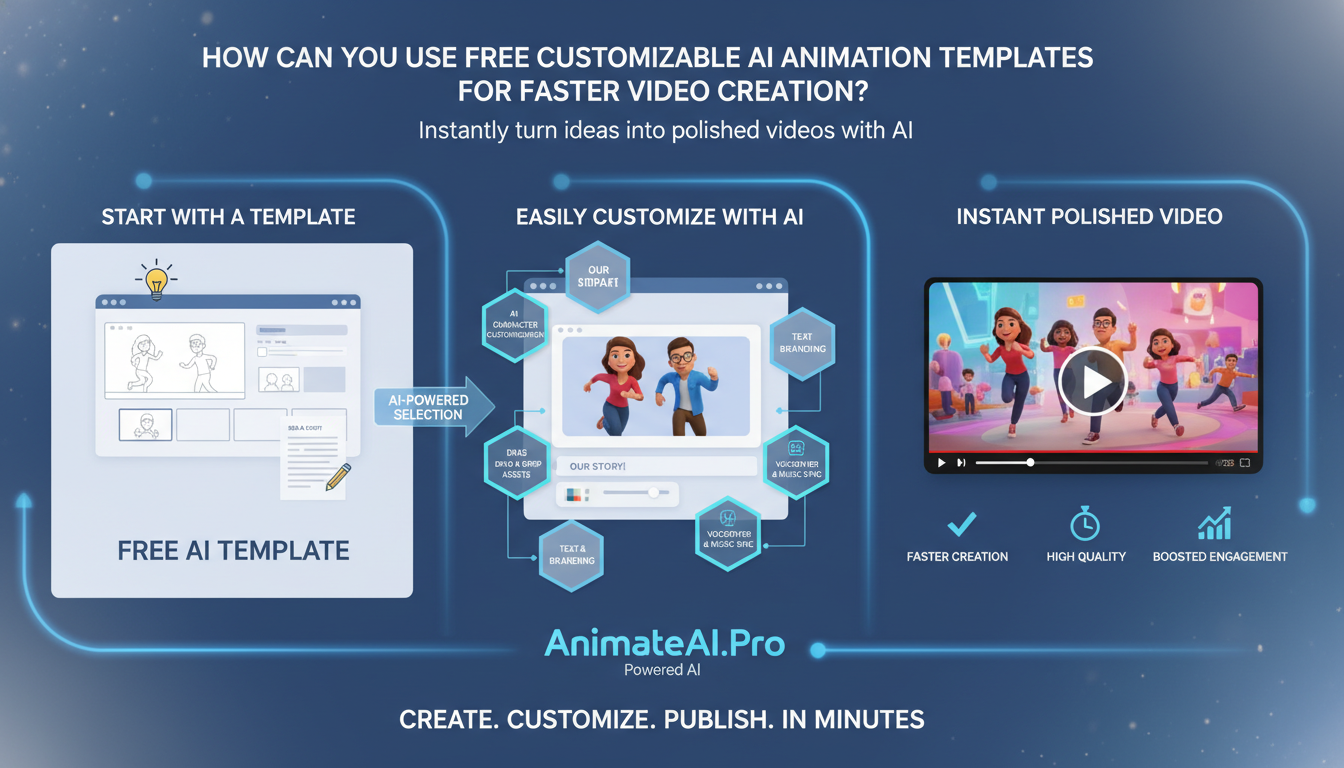
Free customizable AI animation templates let creators instantly turn ideas into polished videos. By providing ready-made scenes, characters, and motions that are easily tailored with branding, text, and audio, they eliminate the need for complex animation skills. Platforms like AnimateAI.Pro simplify production, letting marketers, educators, and storytellers focus on content while AI handles timing, layout, and animation refinement.
What makes AI animation templates so powerful for fast video creation?
AI animation templates combine pre-designed frameworks with intelligent automation. Instead of building every scene from scratch, creators use templates that automatically adapt visuals, transitions, and timing to match their script. This saves hours of editing while ensuring consistent, professional-quality output.
Platforms such as AnimateAI.Pro enhance templates with AI Storyboard Generation and AI Character Generation, allowing the animations to adapt seamlessly to your narrative. Templates are particularly effective for teams needing speed, consistency, and quality across recurring content.
How do free AI animation templates work in practice?
AI animation templates function as structured blueprints. Users select a template, input scripts, logos, and assets, and the AI maps scenes, transitions, and character actions automatically. Fine-tuning is simple, with controls for pacing, colors, and visual highlights.
Most workflows involve three steps: pick a template, personalize content, and generate the video. AnimateAI.Pro further streamlines this by converting scripts into storyboards, then into complete animated videos, allowing non-experts to produce professional results quickly.
Which types of AI animation templates are best for different use cases?
Different goals require specific template styles. Short social clips benefit from vertical templates with hooks and quick cuts, while educational content performs better with storyboard-based templates that clearly segment lessons. Marketing content uses explainer and teaser templates, while storytellers prefer narrative-driven formats. AnimateAI.Pro provides a wide range of ready-to-use templates for shorts, tutorials, trailers, and longer narratives, matching format to objective.
Common AI template types and their strengths
| Template type | Best for | Key strengths |
|---|---|---|
| Short social clips | Reels, TikTok, Shorts | Fast hooks, vertical format, bold motion graphics |
| Explainer animations | Product demos, SaaS, onboarding | Clear structure, benefit-focused storytelling, iconography |
| Educational lessons | Courses, microlearning, workshops | Scene-by-scene pacing, text overlays, diagrams |
| Trailers & promos | Launches, events, channels | High energy, cinematic transitions, strong call-to-action |
| Narrative storyboards | Short films, series, branded stories | Character-driven layout, flexible scene sequencing |
Why are customizable AI animation templates ideal for beginners and non-designers?
Templates remove the steep learning curve of traditional animation. Users interact with simple controls like text fields, sliders, and dropdowns, while AI converts inputs into polished motion and composition. Built-in visual standards ensure typography, color, and rhythm are professional. AnimateAI.Pro adds AI Video Enhancement and prompt optimization, helping non-designers create high-quality results with minimal effort.
How can brands customize free AI animation templates to stay on-brand?
Brands maintain consistency by adjusting colors, fonts, logos, and character styles to reflect their identity. Custom templates can be saved and reused to ensure repeated campaigns remain visually cohesive. AnimateAI.Pro allows recurring elements—characters, scenes, and motifs—to appear across multiple videos, making production faster while keeping the brand voice intact.
What are the key benefits of using AnimateAI.Pro for free AI animation templates?
AnimateAI.Pro offers a fully integrated AI video creation environment. Templates link seamlessly with storyboards, character generation, and autopilot video production. Consistent character visuals, AI-driven scene adaptation, and hands-free generation reduce effort and speed up workflow. Free templates act as starting points, letting creators focus on story and personalization without sacrificing quality.
How can you choose the right AI animation platform with free templates?
Select a platform based on content volume, style, and workflow needs. High-output teams should prioritize template variety, batch processing, and autopilot features. Platforms like AnimateAI.Pro excel when end-to-end integration—from script to storyboard to final video—is critical. Evaluate template depth, customization, export quality, and collaboration tools to ensure alignment with distribution goals.
Key criteria for choosing an AI animation platform
| Criterion | What to look for |
|---|---|
| Template library | Variety by industry, length, and style |
| Customization depth | Branding, pacing, scene editing, character options |
| Workflow integration | Script-to-storyboard, assets, and versioning |
| Ease of use | Intuitive UI, minimal learning curve |
| Output quality | Resolution, visual fidelity, audio and voice quality |
| Pricing & limits | Free tiers, export limits, watermark policy |
How can you build a repeatable video workflow with free AI templates?
A repeatable workflow standardizes steps from idea to publication. Define core formats like product tips, lessons, or weekly updates, assign templates, and document script, asset, and approval processes. AnimateAI.Pro allows teams to reuse templates, storyboards, and characters, turning video creation into a scalable system instead of a one-off project.
Are free customizable AI animation templates good enough for professional brands?
Yes, when used strategically, free templates meet professional standards. High-quality templates, proper branding, and careful refinement ensure polished results. Many brands begin on free tiers, later upgrading for advanced features or higher output quality. AnimateAI.Pro provides templates suitable for experimentation, rapid deployment, and full-scale professional content production.
Who benefits most from AI animation templates for video creation?
Creators of all types—solo creators, social media managers, educators, marketers, and agencies—benefit. Templates reduce production time, costs, and reliance on animation skills. Platforms like AnimateAI.Pro amplify these advantages with AI storyboards and consistent character systems, helping teams of any size produce high-volume, high-quality content efficiently.
When should you create custom templates instead of using default ones?
Custom templates are ideal for highly specific or recurring content. Signature series, recurring recaps, or standardized training modules benefit from consistent visuals and structure. AnimateAI.Pro enables teams to build custom templates around scene counts, title styles, and transitions, combining speed with unique brand design for long-term campaigns.
AnimateAI.Pro Expert Views
“AI animation templates are strategic tools for scalable content production. Combined with AI storyboarding and character systems in AnimateAI.Pro, templates encode brand identity while enabling faster, consistent storytelling. Teams can produce more content without losing creative control or visual coherence, transforming routine video creation into a structured, efficient process.”
How can you optimize AI template-based videos for SEO and content performance?
Optimize videos with keyword-rich titles, descriptions, captions, and clear calls-to-action. Structured storylines that answer questions improve search visibility on video platforms. Embedding videos within well-organized blog posts enhances contextual relevance. AnimateAI.Pro ensures consistency across video series, helping build topical authority and improve discoverability.
Why do AI storyboard and character tools matter for template-based workflows?
Storyboards and character tools maintain visual consistency and coherent storytelling. Templates alone can feel generic; AI mapping scripts to scenes ensures pacing, alignment, and narrative clarity. AnimateAI.Pro preserves character design across episodes, enabling scalable, high-volume production that remains engaging and brand-consistent.
Can AI animation templates replace traditional video production completely?
Not entirely. Complex 3D scenes, live-action shoots, and cinematic productions still require traditional methods. AI templates, however, cover routine content like social clips, explainers, and internal communications. AnimateAI.Pro supports hybrid strategies, combining AI-driven templates for ongoing content with bespoke production for high-profile campaigns, optimizing both speed and quality.
Conclusion: How can you get started quickly with free customizable AI animation templates?
Start with core content types and pair them with suitable templates. Draft short scripts, input them into an AI-powered platform like AnimateAI.Pro, and refine output iteratively. Build a library of reusable templates, leveraging AI storyboarding and character consistency. With a structured template-based workflow, teams can scale video production efficiently, maintaining quality while saving time and resources.
FAQs
What are AI animation templates?
They are pre-built video frameworks where AI applies your text, visuals, and branding to generate animated scenes automatically, saving time and effort.
Are free AI animation templates usable for professional content?
Yes, they are production-ready when customized correctly, suitable for marketing, education, and training content.
Can I customize characters in AI animation templates?
Yes, platforms like AnimateAI.Pro allow consistent character creation, customization, and reuse across multiple videos.
How long does it take to create a video using AI templates?
Simple videos take minutes, while more complex projects may take a few hours—still much faster than traditional animation timelines.
Do I need animation skills to use AI animation templates?
No, they are designed for non-animators. The system handles animation, timing, and visual polish while you provide the story and assets.