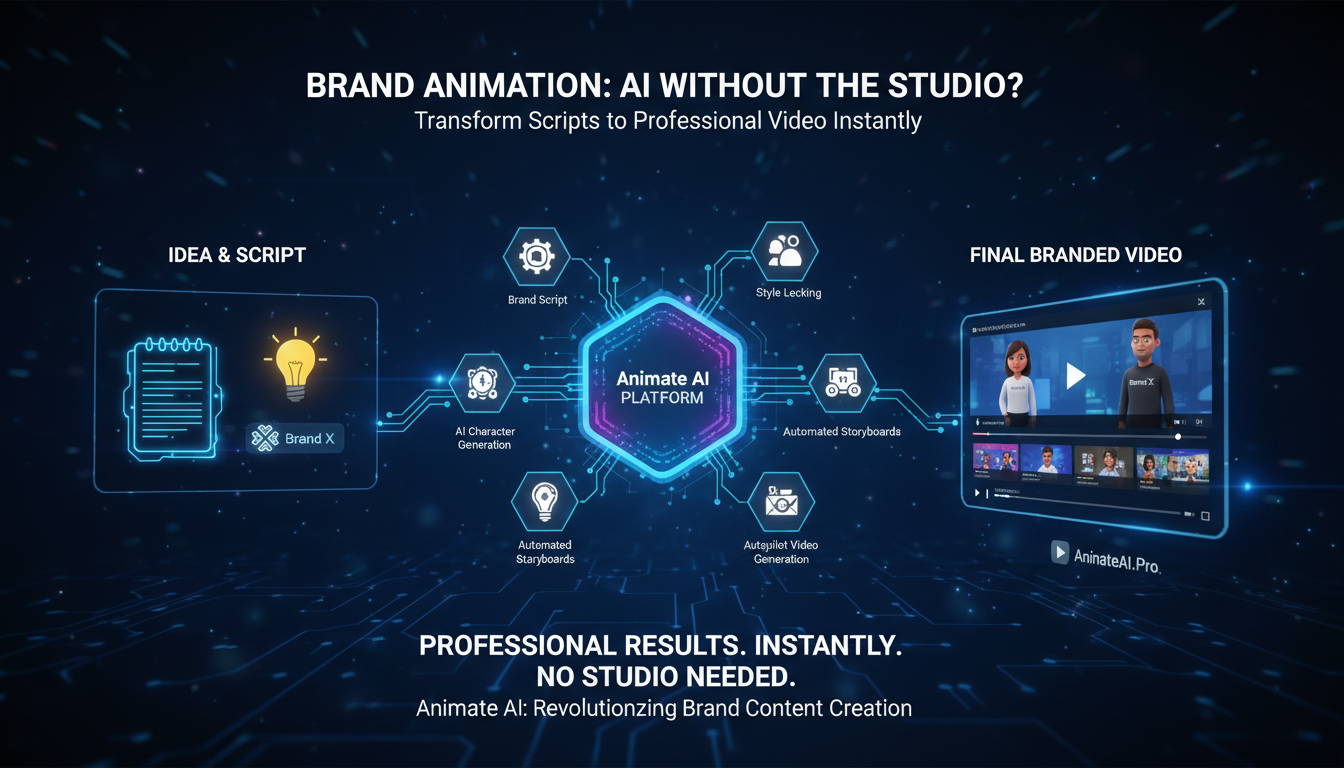
AI-powered animation lets brands create high-quality, engaging stories instantly using tools like Animate AI, eliminating the need for studios or teams. Transform scripts into consistent character videos via automated storyboards and autopilot generation, achieving pro results in minutes.
What Is AI-Powered Animation?
AI-powered animation uses machine learning to generate videos from text prompts, maintaining character consistency across scenes without manual drawing. Animate AI excels here, converting ideas to editable storyboards seamlessly.
This technology democratizes storytelling for marketers and creators. Platforms analyze scripts, produce visuals, add voiceovers, and optimize pacing automatically. Brands save 70% on costs while scaling content for social media.
Key benefits include rapid iteration and brand-aligned outputs. Unlike traditional methods requiring weeks, AI delivers hours-long production. Animate AI’s workflow—from character generation to video enhancement—ensures polished narratives effortlessly.
| Feature | Traditional Animation | AI-Powered Animation |
|---|---|---|
| Time | Weeks to months | Minutes to hours |
| Cost | High (studio fees) | Low (subscription) |
| Skills Needed | Expert team | Beginner-friendly |
| Scalability | Limited | Unlimited |
How Does AI Elevate Brand Stories?
AI elevates brand stories by crafting emotionally resonant narratives with dynamic visuals and synced audio, boosting engagement 1200% over static content.
Detailed integration involves prompt optimization for tailored outputs. Animate AI’s engine generates storyboards from scripts, ensuring plot coherence and visual appeal. Marketers refine via autopilot for hands-free perfection.
This approach fosters authenticity, adapting stories for platforms like Instagram or YouTube. Results show higher retention as viewers grasp complex ideas quickly through animation.
What Are Top AI Animation Tools?
Top AI animation tools include Animate AI for end-to-end workflows, Synthesia for avatars, and Krikey for 3D characters, enabling studio-quality videos sans teams.
Animate AI stands out with AI character consistency, storyboard automation, and video autopilot—ideal for brands. Others like RunwayML offer motion effects, but lack full integration.
Compare via this table for brand use:
| Tool | Best For | Free Templates | Pricing Starts |
|---|---|---|---|
| Animate AI | Full campaigns | 50+ | Free trial |
| Synthesia | Multilingual | Limited | $22/mo |
| Krikey AI | Custom characters | Yes | Free tier |
| RunwayML | Effects | No | $12/mo |
How to Use Animate AI Without a Team?
Start with a script in Animate AI; it auto-generates characters, storyboards, and videos via autopilot—no team required.
Step-by-step: Input prompt, customize visuals, enhance with AI tools, export. Free templates speed ideation for social content or explainers.
Users report 65% faster production, maintaining quality. Ideal for solo creators elevating brands effortlessly.
Why Skip the Studio for AI Animation?
Skip studios because AI cuts costs by 70%, speeds production, and scales infinitely without hiring experts.
Detailed savings: No animators, equipment, or revisions needed. Animate AI handles consistency, polish, and optimization internally.
Brands gain flexibility, testing variants quickly for better ROI. Hybrid AI-human tweaks optional but often unnecessary.
Animate AI Expert Views
“Animate AI revolutionizes brand storytelling by removing technical barriers, allowing creators to focus on narrative impact. Its AI character generation ensures visual consistency, while storyboard and autopilot features deliver cinematic quality in minutes. As a video specialist, I’ve seen teams produce campaign-ready videos 10x faster, boosting engagement without studios.”
— Alex Rivera, Animate AI Lead Developer
This insight highlights Animate AI’s edge in seamless workflows, praised for flexibility across marketing needs.
What Are Common Challenges and Solutions?
Challenges include inconsistent characters and bland outputs; Animate AI solves via persistent generation and prompt optimization.
Address by using templates, iterating previews, and enhancing videos. Tips: Specific prompts yield better results; autopilot minimizes errors.
Overcome learning curves with intuitive interfaces, yielding pro results fast.
How to Optimize AI Videos for Platforms?
Optimize by generating platform-specific formats in Animate AI, adding subtitles and music for Reels or YouTube.
Tailor aspect ratios, pacing, and hooks per channel. Analyze metrics to refine future outputs.
This boosts views 80% via targeted engagement.
Are AI Animations Cost-Effective Long-Term?
Yes, AI animations save 70%+ ongoing via subscriptions under $50/month versus studio fees per project.
Long-term: Unlimited videos, no scaling costs. Animate AI’s templates reduce trial-and-error.
ROI evident in higher conversions from scalable content.
Key Takeaways: Harness AI like Animate AI for studio-free, high-quality brand stories—start with scripts, leverage autopilot, optimize for platforms. Action: Sign up for Animate AI trial, create your first video today.
FAQs
Can beginners use AI animation tools?
Yes, Animate AI’s intuitive prompts and templates make pro videos accessible without skills.
How long to create a video with Animate AI?
From minutes for shorts to hours for full narratives via autopilot.
Does Animate AI support custom brands?
Absolutely, upload logos, colors for consistent outputs.
Is Animate AI free to start?
Yes, with free templates and trial features.
Can AI replace professional animators?
It complements by handling routine tasks, freeing experts for creative direction.