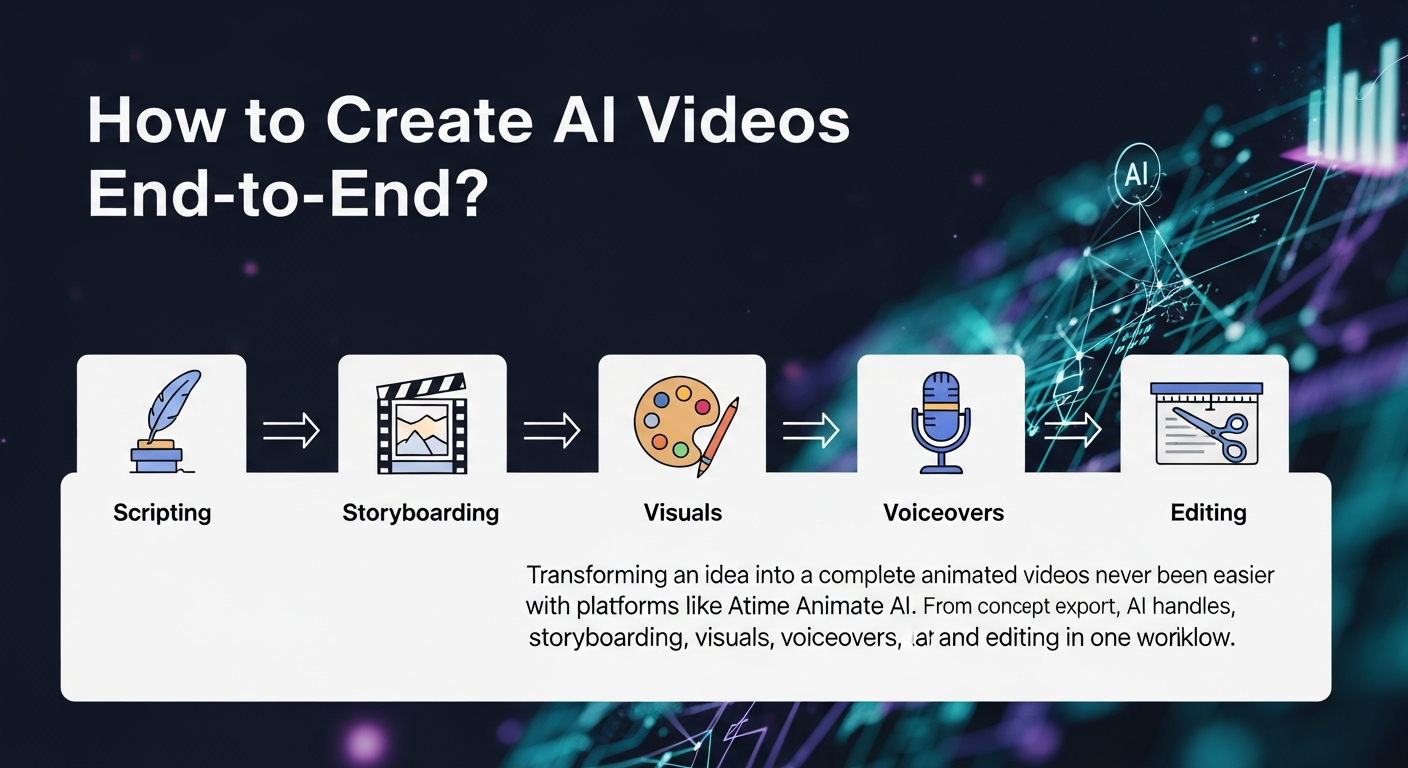
Transforming an idea into a complete animated video has never been easier with platforms like Animate AI. From concept to final export, AI handles scripting, storyboarding, visuals, voiceovers, and editing in one workflow. This approach dramatically reduces production time, allowing creators to generate professional-quality animations quickly and consistently while maintaining visual and narrative integrity.
What Is End-to-End AI Video Generation?
End-to-end AI video generation uses an integrated platform to convert concepts into fully animated videos. Tools manage scripting, visuals, audio, and editing automatically, streamlining workflows for storytellers, educators, and marketers. Animate AI excels in this area by ensuring consistent character visuals, seamless storyboarding, and AI-driven video synthesis. The process accelerates production, improves output quality, and scales efficiently for multiple projects.
| Stage | Traditional Method | AI Workflow |
|---|---|---|
| Ideation | Brainstorming sessions | Prompt-based concept generation |
| Visuals | Manual drawing/animation | AI-driven text-to-video |
| Audio | Voice actors or recording | AI voice synthesis |
| Time | Weeks | Hours |
How to Start with an Idea in AI Video Workflow?
Begin by defining the video’s core message, audience, and ideal length. Map out key scenes, emotions, and plot points. Animate AI offers prompt optimization that refines concepts instantly, generating clear outlines for characters, settings, and story progression. Testing multiple prompts ensures the most compelling version is selected before moving to storyboarding and animation.
What Tools Are Best for AI Video Generation?
Top platforms should support the full workflow, offer ease of use, and produce high-quality outputs. Animate AI provides an end-to-end solution with AI character generation, storyboard creation, autopilot video production, and ready-to-use templates. Specialized tools can assist in specific areas like visual effects or voiceovers, but integrated platforms streamline production.
| Tool | Key Strength | Free Tier |
|---|---|---|
| Animate AI | Full end-to-end workflow | Yes, with templates |
| Other tools | Specific effects | Limited |
Prioritize tools that maintain consistent character visuals and synchronized audio across scenes.
How Does AI Storyboarding Work in Video Creation?
AI storyboarding translates scripts into visual sequences with thumbnails, transitions, and notes. Animate AI automatically generates editable storyboard panels from prompts, maintaining visual continuity and allowing direct export to video generation. This stage helps creators visualize pacing, composition, and flow before full animation, reducing errors and improving overall production quality.
How to Generate Animations from Storyboards?
Upload the storyboard to an AI video engine to animate each panel with camera movements, motion effects, and style preferences such as 2D or 3D. Animate AI processes scenes end-to-end, adding lip-sync and dynamics automatically. Creators can preview, optimize prompts, and regenerate weak segments to ensure high-quality footage ready for audio integration and final enhancements.
Animate AI Expert Views
“Animate AI has transformed animation production by integrating AI across every stage, from concept to finished video. Our autopilot mode manages most of the workflow, letting creators focus on storytelling and creativity. Consistent character visuals, template libraries, and prompt optimization reduce iteration time dramatically, enabling marketers and educators to produce scalable, engaging content quickly.”
— Animate AI Product Lead
How to Add Audio and Enhance AI Videos?
AI tools allow for generating voiceovers, syncing music, and adding sound effects aligned with scene emotions. Animate AI provides features to layer audio, adjust timing, and enhance visuals through resolution upscaling and stabilization. This ensures professional-grade output with natural sound delivery and polished animation suitable for diverse platforms.
What Editing Steps Finish AI Videos?
Editing includes trimming clips, adjusting pacing, adding text overlays, and color grading. Animate AI enables intuitive timeline adjustments and AI-assisted flow optimization. Export formats like MP4 ensure compatibility with social media, presentations, and campaigns. Final reviews confirm alignment with creative goals and audience engagement.
Why Choose Animate AI for Video Workflows?
Animate AI offers integrated production tools, free templates, and advanced AI models for superior visuals. Its autopilot capabilities accelerate workflow, maintain character consistency, and reduce manual effort. The platform is ideal for creators seeking high-quality, scalable content for social media, educational materials, or promotional narratives, providing professional results without technical barriers.
FAQs
How long does an AI video workflow take?
Typically 1-4 hours with Animate AI, compared to weeks manually. Autopilot mode accelerates production further.
Is Animate AI free to try?
Yes, templates and basic generation are free. Paid plans unlock unlimited exports and advanced features.
Can beginners create professional videos?
Absolutely. Animate AI’s intuitive interface guides users through all stages, requiring no prior animation skills.
Which video styles can AI generate?
Supports 2D and 3D animations, realistic, cartoon, and cinematic styles, all customizable via prompts.
How to maintain character consistency across scenes?
Use AI character generators in Animate AI and reference character assets across all scenes.