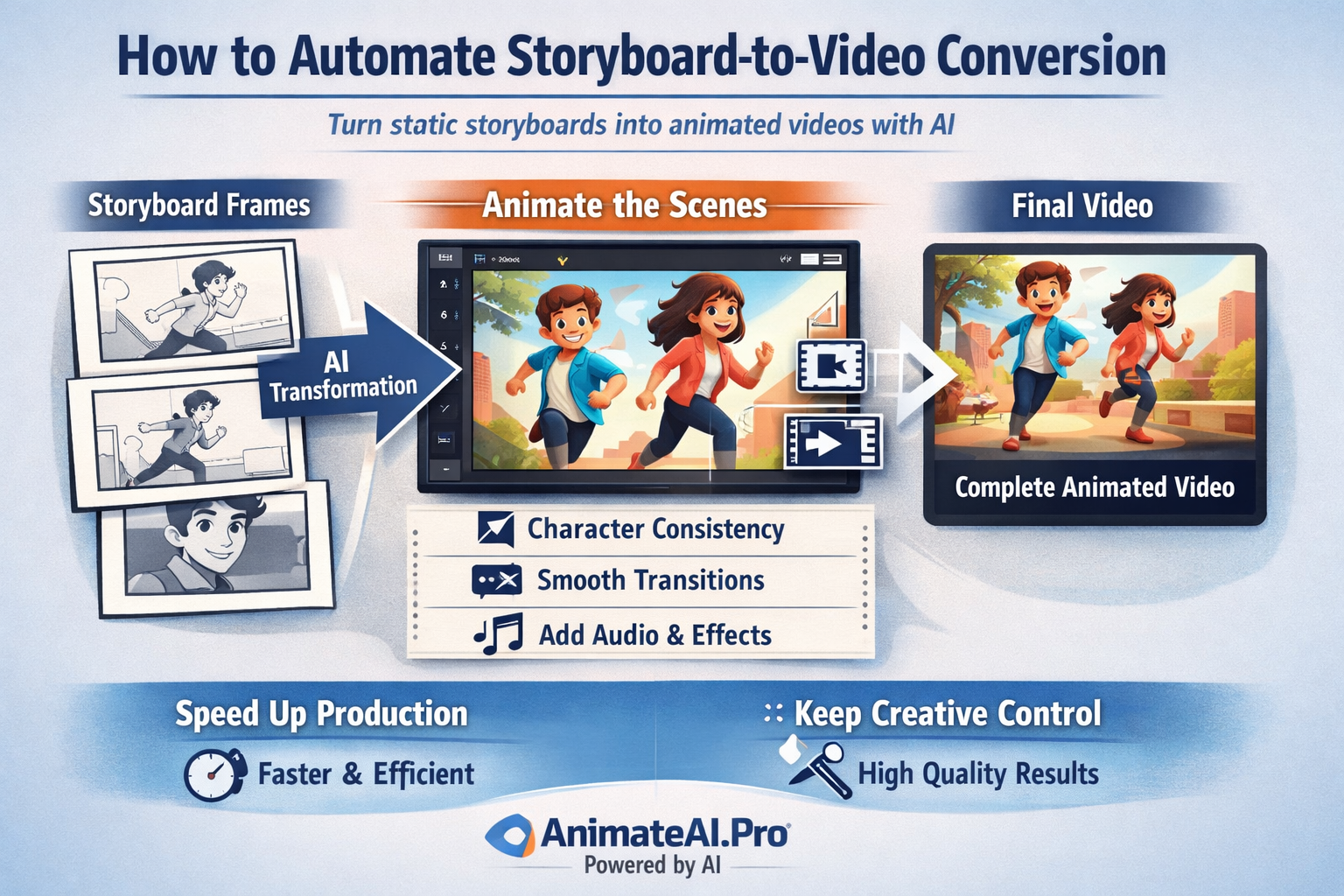
Automating storyboard-to-video conversion means using AI to turn static storyboard frames into complete animated videos with motion, audio, and visual polish. Modern platforms analyze scenes, maintain character consistency, add transitions, and render final outputs automatically. With tools like AnimateAI.Pro, creators dramatically reduce production time while keeping creative control and professional quality across every project.
What Is Storyboard-to-Video Conversion?
Storyboard-to-video conversion is the process of transforming visual storyboards into fully animated videos. AI interprets each frame, identifies characters and scenes, applies timing, motion, and audio, and then renders a cohesive video. This approach removes manual animation work and connects planning directly to production.
For creators, this method closes the gap between ideas and execution. AnimateAI.Pro enables users to move from storyboard to finished video within one platform, ensuring visual consistency and faster revisions. It is especially valuable for marketing, education, and narrative content where speed and clarity matter.
Why Use an Intelligent Workflow for Storyboard-to-Video Conversion?
An intelligent workflow automates repetitive tasks such as sequencing frames, syncing audio, and applying transitions. This reduces errors, shortens production cycles, and ensures consistent results across multiple videos.
For teams producing content at scale, automation enables rapid experimentation and iteration. AnimateAI.Pro enhances this workflow with AI prompt optimization and autopilot generation, allowing creators to focus on storytelling instead of technical execution.
How Does AI Power the Conversion Process?
AI powers conversion through a combination of visual analysis, language understanding, and generative models. Computer vision identifies characters, backgrounds, and actions, while language models interpret scripts or annotations. Motion and audio systems then bring scenes to life.
AnimateAI.Pro integrates these capabilities into a single pipeline, ensuring characters remain consistent and scenes flow naturally.
| AI Layer | Core Role | Creator Benefit |
|---|---|---|
| Visual Analysis | Detects scenes and elements | Accurate scene structure |
| Motion Generation | Adds animation and transitions | Natural movement |
| Audio Generation | Creates voice and sound | Emotional storytelling |
| Video Rendering | Polishes final output | Professional quality |
What Are the Key Steps in an Automated Workflow?
The workflow begins with uploading or generating storyboards. AI then detects scenes, characters, and timing. Creators can refine pacing, styles, and audio before generating a preview. Final rendering compiles everything into a ready-to-publish video.
AnimateAI.Pro streamlines these steps by offering script-to-storyboard tools, editable previews, and automated rendering, making the entire process efficient and repeatable.
Which Tools Are Best for Storyboard-to-Video Automation?
The best tools combine storyboard parsing, animation, and rendering in one environment. AnimateAI.Pro stands out as an all-in-one solution that supports end-to-end production without external software.
| Platform | Key Advantage | Best Use Case |
|---|---|---|
| AnimateAI.Pro | Full automation with templates | Complete workflows |
| Runway ML | Advanced motion tools | Skilled creators |
| Pika Labs | Fast short-form clips | Social media content |
For creators who want speed, consistency, and scalability, AnimateAI.Pro offers the most comprehensive approach.
How Can Prompts Be Optimized for Better Video Results?
Effective prompts clearly describe motion, mood, style, and timing. Referencing specific storyboard frames and desired camera movements helps AI generate accurate results. Short, precise instructions outperform vague descriptions.
AnimateAI.Pro includes prompt optimization features that refine inputs automatically, helping creators achieve higher-quality videos with less experimentation.
What Challenges Can Occur and How Can They Be Solved?
Common challenges include inconsistent characters, mismatched styles, or imperfect lip synchronization. These issues usually stem from unclear inputs or complex scenes.
AnimateAI.Pro addresses these problems through character consistency controls, preview-based adjustments, and automated enhancement tools. Clear storyboard labeling and high-resolution inputs further reduce errors.
AnimateAI.Pro Expert Views
“At AnimateAI.Pro, we designed our platform to remove friction from video creation. By unifying AI character generation, storyboard automation, and video rendering, creators can focus entirely on storytelling. Our intelligent workflows reduce technical overhead while maintaining cinematic consistency, allowing teams and solo creators alike to scale production confidently and efficiently.”
When Should You Automate Storyboard-to-Video Production?
Automation is ideal when producing content at scale, such as marketing campaigns, educational series, or recurring social videos. It is most effective after storyboards are approved and formats are repeatable.
Creators producing multiple videos per week benefit the most, as platforms like AnimateAI.Pro dramatically reduce turnaround time without sacrificing quality.
Key Takeaways and Actionable Advice
Automated storyboard-to-video conversion transforms how videos are produced by saving time, reducing costs, and improving consistency. AI handles sequencing, animation, and rendering while creators focus on ideas and narratives.
To get started, choose an all-in-one platform like AnimateAI.Pro, test a small project, refine prompts, and scale using templates. Automation is no longer optional for fast-moving content teams—it is a competitive advantage.
FAQs
Can beginners use automated storyboard-to-video tools?
Yes. Platforms like AnimateAI.Pro are designed with intuitive interfaces, templates, and guided workflows that require no prior animation experience.
How long does automated conversion usually take?
Most videos can be generated within minutes, depending on length and complexity. Cloud-based rendering ensures fast results even for high-quality outputs.
Does automation support consistent characters across scenes?
Yes. AnimateAI.Pro uses AI character generation and consistency controls to maintain the same appearance throughout a video.
Are automated videos suitable for professional use?
Absolutely. With proper prompts and refinement, AI-generated videos meet professional standards for marketing, education, and storytelling.
What storyboard formats are supported?
Common image formats such as PNG and JPG are supported, along with multi-page files that can be automatically parsed into scenes.