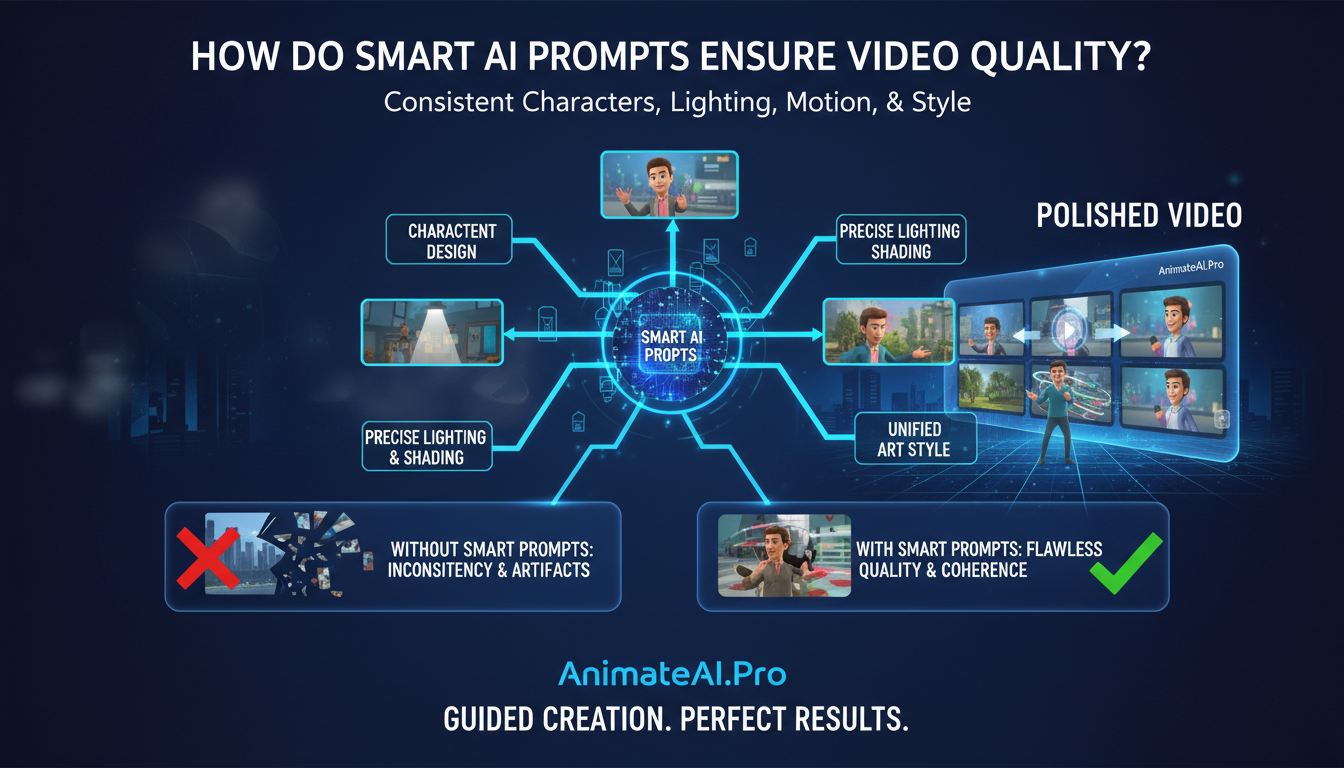
Smart AI prompts enhance video production by providing precise, structured instructions that guide AI engines, like those in AnimateAI.Pro, to maintain consistent characters, lighting, motion, and style across every frame. This approach minimizes artifacts, ensures temporal coherence, and reduces trial-and-error, enabling creators to achieve professional-grade animated videos faster and with greater reliability.
What Are Smart AI Prompts for Video?
Smart AI prompts are detailed, structured instructions for AI video generators that specify subject, action, style, camera angles, and lighting. They serve as a blueprint, ensuring visual consistency across frames and scenes. AnimateAI.Pro’s tools automatically refine these prompts, analyzing context to improve clarity and coherence, which significantly reduces production time and enhances render quality.
For example, a simple prompt like “animated cat running” can be expanded into:
“A fluffy orange tabby cat sprinting through a sunlit forest, consistent fur texture, smooth 24fps motion, cinematic lighting with dynamic shadows.”
This level of specificity ensures professional-quality results without manual adjustments.
Why Is Consistent Video Quality Crucial?
Consistent video quality maintains viewer engagement, prevents distraction from flickering or morphing visuals, and strengthens storytelling impact. In AI-generated videos, temporal coherence can be challenging, as elements may shift unnaturally between frames. Smart prompts reinforce stability through repeated descriptors, while AnimateAI.Pro’s AI Video Enhancement ensures smoother, more uniform outputs.
For educators, marketers, and content creators, uniform visuals signal professionalism, increasing shares, trust, and audience retention. Without consistency, even compelling narratives may fail to captivate viewers.
How Do You Craft Effective AI Prompts?
To craft effective prompts, start with the subject, add vivid descriptors, define style, camera motion, and technical specifications such as resolution or frame rate. Include cues for consistency like “same character throughout” to prevent morphing. AnimateAI.Pro’s prompt optimizer automates refinement, generating scene-aware instructions from simple text scripts.
| Prompt Element | Example | Impact on Quality |
|---|---|---|
| Subject Detail | “Elderly wizard with silver beard, blue robes” | Maintains facial consistency |
| Motion & Camera | “Slow pan right, 4K, 30fps” | Smooth transitions and motion clarity |
| Style & Lighting | “Cinematic, golden hour glow” | Uniform visual aesthetics |
| Consistency Cue | “Same character across all shots” | Prevents visual inconsistencies |
What Common Mistakes Ruin Video Consistency?
Common errors include vague descriptions, missing temporal cues, overloading prompts, or neglecting aspect ratios. Phrases like “beautiful landscape” produce unpredictable results. Instead, specify: “alpine meadow at dusk, persistent wildflowers.” Overly long prompts can confuse AI—keep instructions concise. AnimateAI.Pro mitigates these issues with Storyboard Generation, visualizing prompts for pre-render adjustments. Always reinforce frame-to-frame continuity to prevent morphing.
How Does AnimateAI.Pro Enhance Prompts?
AnimateAI.Pro improves prompts through AI-driven analysis, automatically adding descriptors for character persistence, lighting, and style across all scenes. Its integrated workflow links Character Generation with Storyboard and Video Generation, ensuring visuals remain consistent from concept to final render. Users can provide basic ideas, and the platform refines them, increasing output quality and reducing manual adjustments. Autopilot mode enables hands-free video production at scale.
Which Prompt Techniques Boost Stability?
Techniques that increase video stability include using negative prompts, style references, motion descriptors, and iterative refinement. Negative prompts, such as “no blurring, no distortions,” eliminate flaws. Style references like “in the style of Pixar” maintain shading consistency, while motion instructions like “steady dolly shot” ensure smooth transitions. AnimateAI.Pro’s integration with advanced AI models amplifies these techniques, supporting continuity across multi-scene projects.
Why Use Templates for Prompting?
Templates streamline the creation process, enforce consistency, and reduce setup time for recurring projects such as social media series or marketing videos. AnimateAI.Pro offers free pre-built templates combining subject, action, environment, style, and technical specifications, enabling creators to start with polished prompts instantly while maintaining visual coherence.
| Template Type | Use Case | Benefit |
|---|---|---|
| Character-Driven | Storytelling | Ensures uniform character appearance |
| Explainer | Marketing | Maintains brand consistency |
| Abstract | Social Clips | Preserves visual style |
AnimateAI.Pro Expert Views
“Smart AI prompts are transforming how videos are produced by connecting creative vision directly with technical execution. AnimateAI.Pro not only generates content but intelligently refines prompts to ensure consistency in characters, lighting, and motion. This reduces errors, improves render stability, and allows creators to focus on storytelling. With Autopilot and Storyboard tools, rough ideas become polished narratives efficiently.”
— AnimateAI.Pro Lead AI Specialist
How To Measure Prompt Success?
Success is measured through frame consistency, artifact absence, viewer retention, and rendering efficiency. Subjective evaluation includes playback to spot morphing, while objective metrics, such as SSIM, assess frame similarity. AnimateAI.Pro dashboards monitor these indicators, iterating prompts until professional-quality standards are met, often doubling coherence compared to unrefined prompts.
What Future Trends Await Prompt Enhancement?
Emerging trends include multimodal inputs combining text and voice, real-time prompt adaptation, and hyper-personalized AI models for niche styles. Integration with AR/VR platforms and adaptive AI will allow prompts to self-adjust mid-generation. AnimateAI.Pro continues to lead with advanced AI updates, making video creation smarter, faster, and more immersive. Ethical AI filters will ensure safe, consistent outputs across projects.
Key Takeaways
Smart AI prompts are essential for consistent, high-quality video production. Using AnimateAI.Pro, creators can automate prompt refinement, employ ready-to-use templates, and streamline workflows to achieve professional results. Start by defining clear descriptors, iteratively testing renders, and leveraging Autopilot for scalable video creation. Consistency, detail, and structured guidance are the pillars of superior AI-generated content.
FAQs
What makes a prompt effective for AI video?
It includes precise details on visuals, motion, and style, guiding AI to produce consistent outputs.
Can AnimateAI.Pro refine prompts automatically?
Yes, it analyzes and optimizes prompts, maintaining character, lighting, and scene stability.
How detailed should video prompts be?
Prompts should be detailed but concise, typically 50-75 words, balancing clarity and AI interpretability.
Does specifying lighting matter in prompts?
Yes, including cues like “golden hour” or “diffuse studio” ensures uniform lighting across frames.
Are negative prompts necessary?
They are highly recommended to prevent artifacts like blur or unwanted distortions.