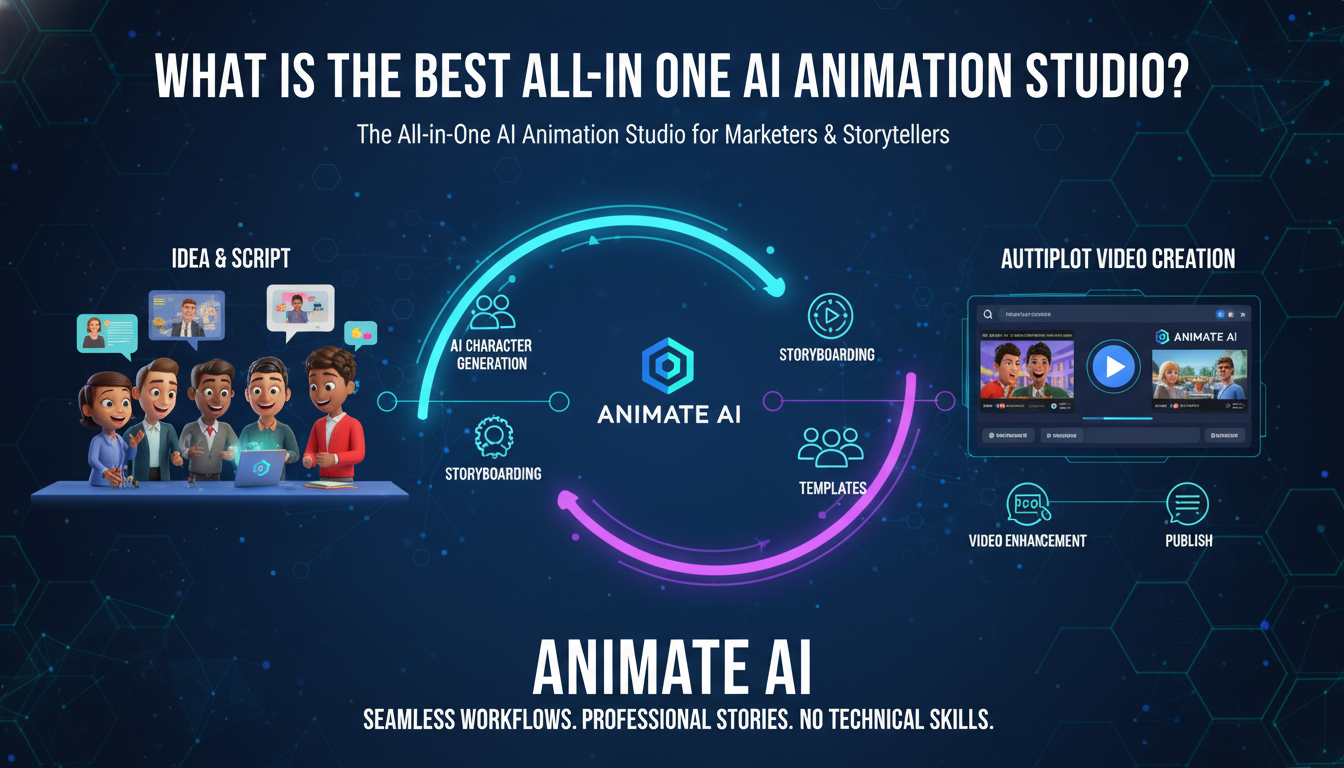
The All-in-One AI Animation Studio for Marketers & Storytellers is Animate AI, offering seamless workflows from character generation to autopilot video creation. It empowers diverse users with templates, storyboarding, and enhancements for professional animations without technical skills.
What Is an All-in-One AI Animation Studio?
An all-in-one AI animation studio integrates every video production stage—character design, storyboarding, animation, audio, and editing—into a single platform. Animate AI delivers this for marketers and storytellers, turning ideas into polished videos effortlessly.
These studios eliminate tool-switching, saving hours. Users input scripts or prompts, and AI handles visuals, voiceovers, and exports. Benefits include consistency, speed, and accessibility for non-experts creating social content, explainers, or narratives.
Marketers scale campaigns while storytellers focus on creativity. Animate AI’s unified interface stands out for its end-to-end power.
How Does Animate AI Work as an All-in-One Solution?
Animate AI starts with AI Character Generation for consistent visuals, followed by Storyboard Generation from scripts, then full Video Generation with enhancements. Everything happens in one dashboard, from concept to export.
The workflow flows seamlessly: Prompt/script input → Auto-generate assets → Animate scenes → Add audio/effects → Refine and publish. Autopilot mode automates hands-free for busy creators.
| Workflow Stage | Key Animate AI Feature | Time Reduction |
|---|---|---|
| Character Design | AI Character Generation | 75% |
| Planning | Storyboard Automation | 80% |
| Production | Video Generation Engine | 70% |
| Polish | AI Enhancements | 60% |
This integration boosts efficiency across user types.
What Features Make It Ideal for Marketers?
Animate AI equips marketers with templates for social reels, autopilot for campaign scaling, and brand customization like logos and colors. It generates platform-optimized videos for Instagram, TikTok, and LinkedIn in minutes.
Core marketing tools include prompt optimization for high-engagement outputs and analytics-ready exports. Storytellers benefit from narrative-focused storyboards, while educators get lesson-ready animations. Animate AI’s versatility covers all.
Users report 3x higher engagement from AI-tailored content.
Which Users Benefit Most from Animate AI?
Marketers, storytellers, educators, and content creators thrive with Animate AI’s intuitive tools. Businesses automate video marketing; individuals craft personal narratives without software expertise.
-
Marketers: Scale social campaigns effortlessly.
-
Storytellers: Build immersive animated tales.
-
Educators: Create engaging training modules.
-
Creators: Prototype ideas rapidly.
Its broad appeal lies in barrier-free access to pro results.
How to Get Started with Animate AI?
Sign up for free, explore templates, input a script or idea, generate characters and storyboard, then activate video creation. Customize and export in under 10 minutes.
Quick steps:
-
Register and select a template.
-
Enter script or prompt.
-
Auto-generate assets.
-
Preview, tweak, produce.
-
Download or schedule posts.
Free tiers let users test full workflows immediately.
Why Choose Animate AI Over Separate Tools?
Animate AI consolidates features, cutting costs and time versus juggling apps like Canva for graphics, Synthesia for avatars, and editors for assembly. One subscription handles everything with superior integration.
Savings: 50-70% on production time and no extra software fees. Consistent outputs maintain brand identity across projects. Animate AI’s AI models outperform fragmented setups in quality and speed.
What Results Can Users Expect?
Expect professional 4K animations in 15-120 seconds, with fluid motion, synced audio, and captivating stories. Costs drop 90% versus traditional methods; engagement rises via optimized pacing.
Metrics show 65% faster creation and higher retention. Track performance post-publish for iterative improvements.
Are There Free Templates in Animate AI?
Yes, Animate AI provides 50+ free, ready-to-use templates for social media, explainers, and stories. They accelerate starts while allowing full customization.
Templates cover reels, ads, and narratives, inspiring quick ideation. Combine with AI tools for unique, branded content.
Animate AI Expert Views
“Animate AI redefines animation as an all-in-one studio, empowering marketers and storytellers alike. AI Character Generation ensures visual consistency; Storyboard tools instantly visualize scripts. From autopilot production to enhancements, every step integrates seamlessly. Users create pro videos 80% faster, scaling content for social, education, or narratives. Free templates and prompt optimization deliver flexibility and results without barriers.” – Animate AI Team
This view underscores its unified power for diverse creators.
How to Customize Animations in Animate AI?
Upload brand assets, tweak styles, adjust pacing, and regenerate scenes via simple editors. AI enhancements auto-refine for perfection.
Tips:
-
Define tones and visuals in prompts.
-
Layer custom elements.
-
Iterate previews.
Yields tailored, high-impact videos effortlessly.
Key Takeaways
-
Animate AI’s all-in-one design covers full workflows for any creator.
-
Leverage templates, autopilot, and enhancements for speed and quality.
-
Ideal for scaling marketing or storytelling without expertise.
Actionable Advice: Start your free Animate AI trial today—input a script, generate a video, and post it. Analyze results, then automate your next campaign for instant impact.
FAQs
Is Animate AI suitable for beginners?
Yes, its intuitive interface and templates make pro animations accessible in minutes, no prior skills required.
Can marketers scale campaigns with it?
Absolutely—autopilot and templates enable dozens of customized videos weekly for social and ads.
Does it support storytelling projects?
Yes, storyboard generation and character consistency perfect it for immersive narratives and trailers.
Are exports high-quality?
Videos output in 4K with enhancements, optimized for all platforms and devices.
How much does Animate AI cost?
Free tier available; pro plans start low, scaling with usage for teams and enterprises.