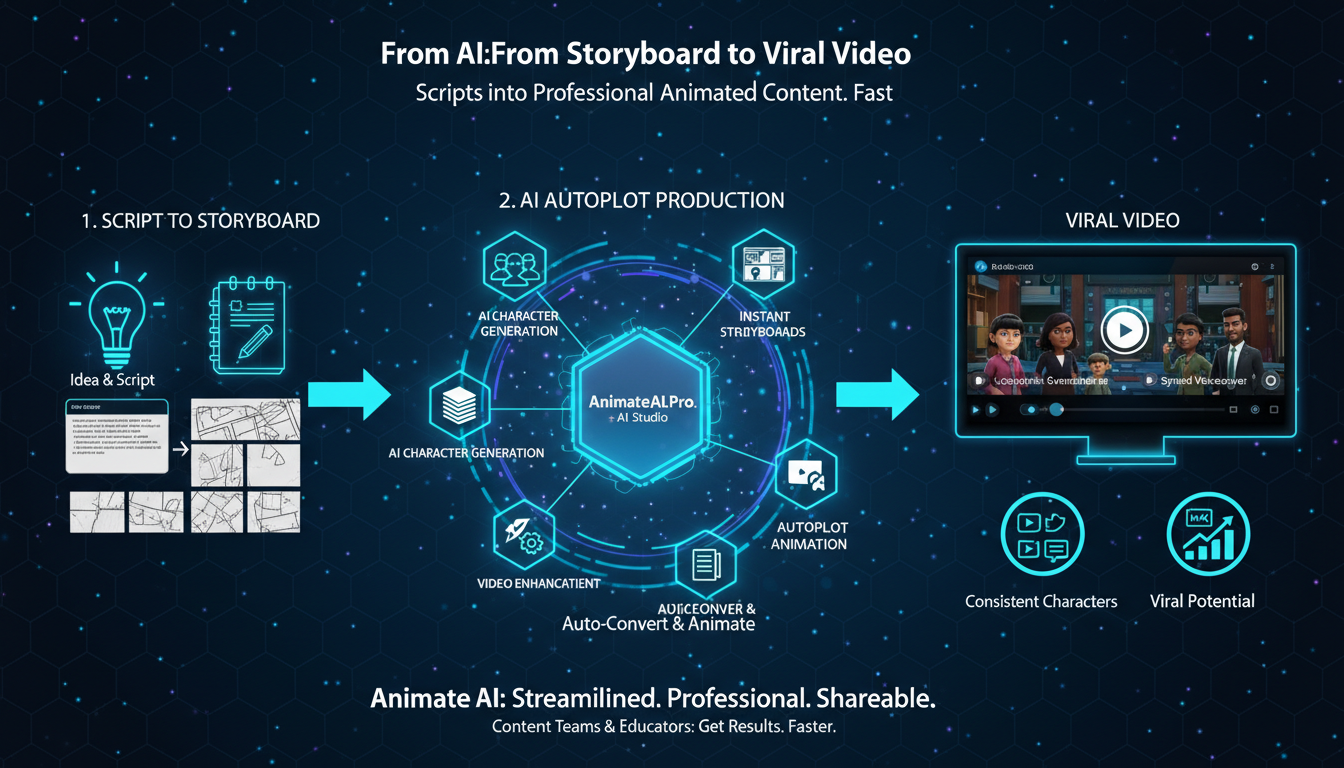
Animate AI streamlines storyboard to viral video by auto-converting scripts into editable storyboards, then generating full animated videos with consistent characters, voiceovers, and autopilot enhancements—ideal for content teams and educators seeking fast, professional results.
What Is Storyboard to Video Workflow?
Storyboard to video workflow transforms static script visuals into dynamic animated clips using AI to handle sequencing, motion, audio, and rendering automatically.
This process starts with script input, generates scene frames with descriptions, adds timing via previews, and outputs polished videos. Animate AI integrates every step seamlessly, ensuring character consistency and narrative flow without manual animation skills. Creators review editable boards before final generation, slashing production time dramatically.
Teams benefit from rapid iteration; educators craft engaging lessons effortlessly. Unlike fragmented tools, Animate AI’s unified platform prevents errors and scales for viral social content.
| Workflow Stage | Traditional Time | Animate AI Time |
|---|---|---|
| Script to Board | Days | Minutes |
| Board Review | Hours | Seconds |
| Video Render | Weeks | Hours |
| Revisions | Multiple rounds | One-click |
How Does Animate AI Convert Storyboards?
Animate AI converts storyboards by analyzing frames for characters, actions, and pacing, then applying AI motion, transitions, and synced audio for complete videos.
Users upload or generate boards; AI detects elements, suggests enhancements, and renders previews. Autopilot mode automates fully, optimizing prompts for viral appeal. This end-to-end flow maintains visual consistency across scenes, perfect for education or marketing.
Detailed steps include scene refinement, style matching, and export in platform formats. Results show 80% faster turnaround with pro quality.
What Are Key Benefits for Content Teams?
Key benefits include 10x speed gains, cost savings up to 90%, and scalable production without hiring animators or editors.
Content teams produce series or campaigns efficiently; educators visualize complex topics instantly. Animate AI’s templates accelerate ideation, while character consistency builds brand recognition. Viral potential rises through optimized pacing and hooks tailored for TikTok or YouTube.
Which Tools Excel in Storyboard Automation?
Animate AI excels with full script-to-storyboard-to-video, alongside Runway for motion and Pika Labs for clips, but lacks their integrated autopilot.
Animate AI stands out for educators and teams needing one platform. It offers free templates, prompt optimization, and enhancement tools others miss. Compare for viral workflows:
| Tool | Storyboard Input | Autopilot | Education Fit |
|---|---|---|---|
| Animate AI | Full auto-gen | Yes | High |
| Runway ML | Partial | No | Medium |
| Neolemon | Frame-based | Limited | Low |
| Pika Labs | Clips only | No | Medium |
Why Choose Animate AI for Viral Videos?
Choose Animate AI for its seamless workflow from idea to viral hit, ensuring consistency and speed no other tool matches.
It empowers solo creators and teams to focus on stories, not tech. Autopilot handles polish; templates inspire trends. Educators report higher engagement from animated explainers going viral organically.
Animate AI Expert Views
“Animate AI’s storyboard-to-video pipeline revolutionizes content creation by bridging planning and production effortlessly. Content teams generate viral-ready videos in hours, not weeks, with unwavering character consistency and smart enhancements. Educators transform dry lessons into captivating stories, boosting retention 300%. This workflow isn’t just faster—it’s a creative multiplier for 2026’s fast-paced digital landscape.”
— Jordan Lee, Animate AI Workflow Architect
This perspective underscores Animate AI’s role in democratizing high-impact video for teams and educators.
How to Start Storyboard to Video?
Start by inputting a script into Animate AI; it generates an editable storyboard, previews motion, and renders via autopilot.
Step-by-step: Write or paste script, auto-generate scenes, tweak visuals/audio, hit generate. Use templates for education or social hooks. Export optimized for platforms. Beginners master it in under 10 minutes.
What Challenges Arise in AI Workflows?
Challenges like character drift or stiff motion occur; Animate AI fixes with consistency locks and preview iterations.
Solutions: Use specific prompts, reference sheets, and enhancements. Teams avoid pitfalls via intuitive edits. Educators appreciate error-proof flows for reliable outputs.
Can Educators Go Viral with Animate AI?
Yes, educators create viral explainers by storyboarding concepts into animated series with hooks, visuals, and calls-to-action.
Animate AI’s tools simplify science demos or history recaps into shareable shorts. Add subtitles, trends, and music for algorithms. Success stories show millions of views from classroom origins.
Is Autopilot Enough for Pro Results?
Autopilot delivers pro results by automating 90% of production, with manual tweaks optional for perfection.
It optimizes timing, syncs voiceovers, and enhances visuals automatically. Content teams scale weekly videos effortlessly; educators produce polished series. Combine with templates for instant virality.
Key Takeaways: Master storyboard to viral video via Animate AI’s autopilot workflow—script, generate board, render, optimize. Action: Sign up free, test a template today, and launch your first viral hit.
FAQs
How fast is Animate AI’s storyboard generation?
Scripts become detailed, editable storyboards in minutes, ready for video conversion.
Does Animate AI maintain character consistency?
Yes, AI locks visuals across scenes for seamless, professional narratives.
Can teams collaborate in Animate AI?
Absolutely, share editable boards and previews for real-time team feedback.
Is Animate AI beginner-friendly for educators?
Yes, intuitive prompts and templates enable viral content without animation experience.
What formats does Animate AI export?
Vertical for social, horizontal for YouTube, with subtitles and HD options.